
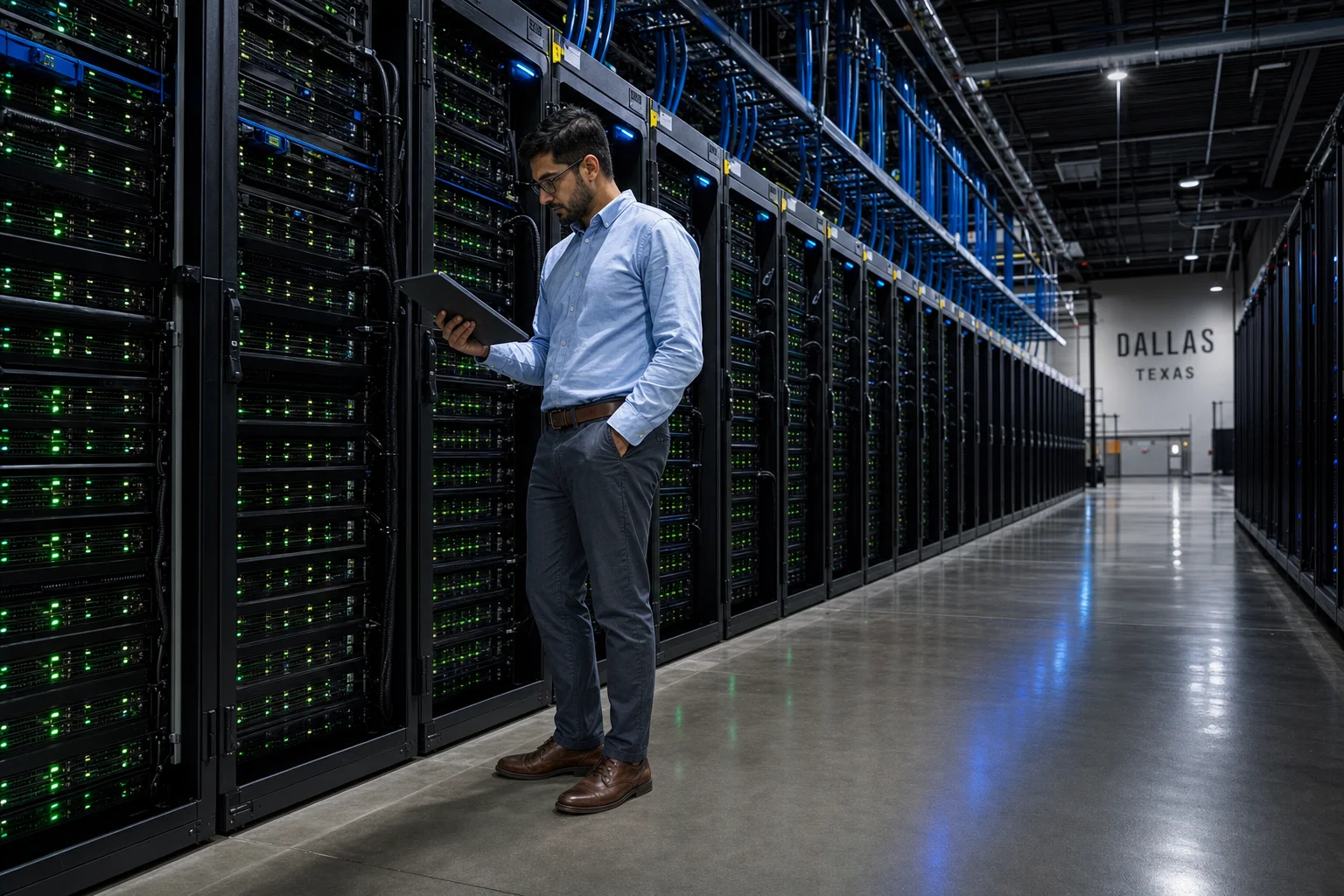
GPU colocation is one of the fastest-growing infrastructure decisions AI teams face in 2026 — yet the concept remains poorly understood outside of enterprise IT circles. This guide explains what GPU colocation actually means, how it differs from cloud and on-premise alternatives, and what AI teams need to evaluate before signing a colocation agreement.
Quick Answer
GPU colocation means placing your own GPU servers inside a third-party data center facility, where you pay for physical space, power, and network connectivity rather than renting compute by the hour. You own or lease the hardware; the facility provides the building, cooling, power infrastructure, and physical security. It sits between fully managed cloud GPU services and running your own private data center.
Key Takeaways
- GPU colocation gives AI teams direct hardware control without the capital expense of building a private facility.
- You pay for rack space, power (measured in kilowatts), and bandwidth — not per GPU-hour like cloud providers charge.
- High-density GPU racks typically draw 20–100+ kW per rack, which most standard colocation facilities are not designed to handle.
- Colocation is often more cost-effective than cloud for sustained, predictable AI training workloads running at scale.
- Choosing the right facility requires evaluating power density support, cooling infrastructure, network connectivity, and contract flexibility.
- Dallas, Phoenix, and Northern Virginia are among the most active U.S. markets for AI-grade colocation capacity in 2026.
- Working with an infrastructure planning firm before committing to a colocation contract can prevent costly mismatches between your hardware requirements and a facility’s actual capabilities.
What Does GPU Colocation Actually Mean?
GPU colocation refers to the practice of deploying your own GPU-based servers inside a data center owned and operated by a third party. The data center provides physical infrastructure — floor space, power feeds, cooling systems, physical security, and network access — while your team retains ownership and control of the actual compute hardware.
This is fundamentally different from renting cloud GPU instances, where a provider like AWS or Google owns the hardware and bills you per hour of use. In a colocation arrangement, your H100 cluster is physically sitting in a cage or cabinet inside a facility in, say, Dallas or Northern Virginia. You configure it, manage it remotely, and pay a monthly fee for the infrastructure that supports it.
The term “colocation” itself simply means multiple tenants share a building’s infrastructure while keeping their hardware separate and private. “GPU colocation” specifies that the workloads involved are GPU-intensive — AI training, inference, simulation, rendering, or high-performance computing — which creates distinct technical requirements that not every colocation facility can meet.
How Is GPU Colocation Different from Cloud GPU Services?
The clearest way to understand GPU colocation is to compare it directly against the two alternatives most AI teams consider: cloud GPU and on-premise deployment.
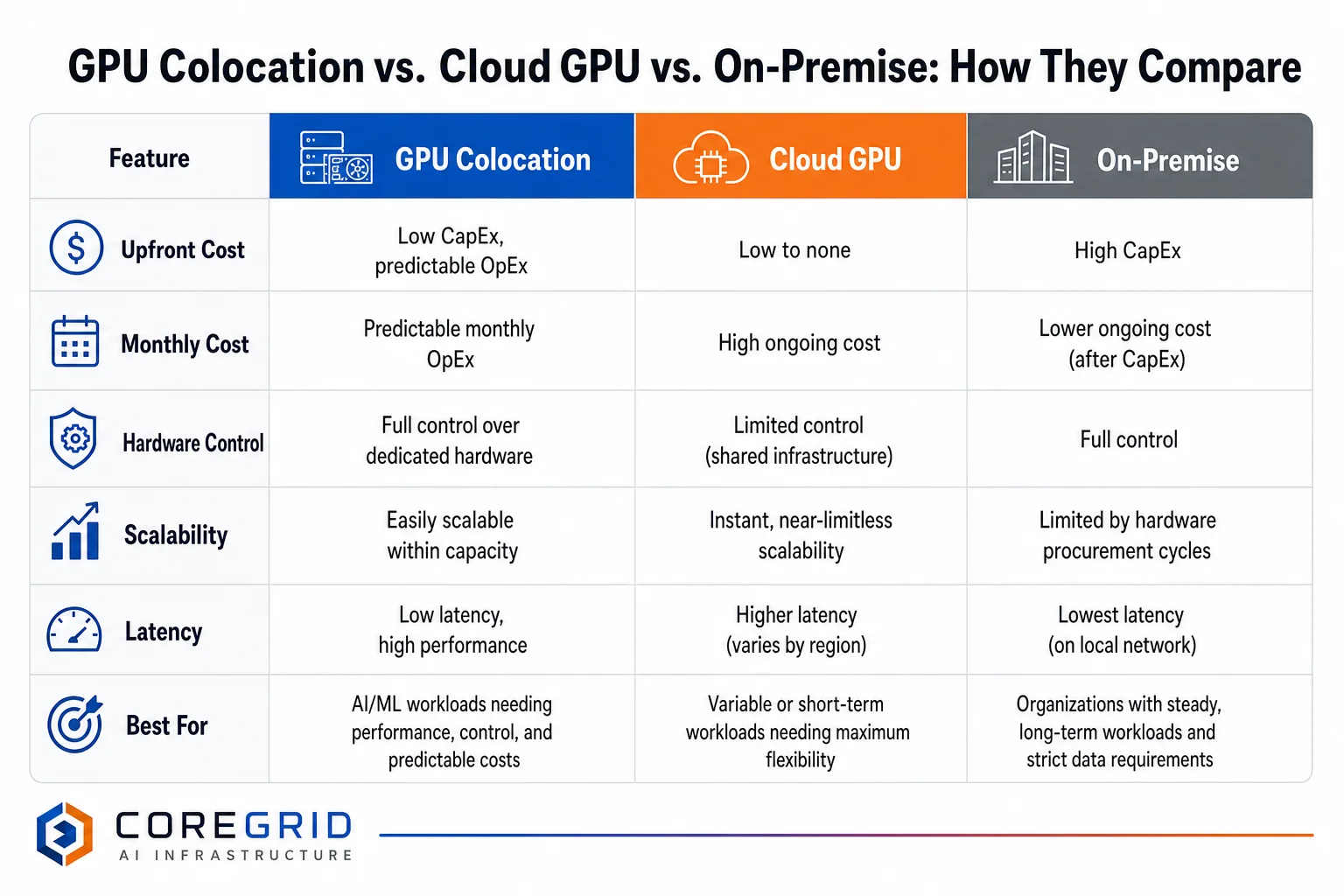
Cloud GPU services (AWS, Google Cloud, Azure, CoreWeave, Lambda Labs, and others) abstract away all hardware concerns. You request a GPU instance, pay an hourly or per-second rate, and the provider handles everything from physical maintenance to power costs. This model works well for variable workloads, early-stage experimentation, and teams that need to scale rapidly without capital commitment. The tradeoff is cost: sustained cloud GPU usage at scale is significantly more expensive per compute-hour than owning or leasing hardware in a colocation facility.
On-premise GPU deployment means your servers live in your own office or private data center. You control everything, but you also pay for the building, power infrastructure, cooling systems, physical security, and facilities staff. For most AI teams, the capital and operational overhead of running a private facility is difficult to justify unless compute demand is very large and very stable.
GPU colocation occupies the middle ground. You own or lease the hardware (controlling your software stack, driver versions, and network configuration), but you avoid the facility overhead by renting space inside an existing, professionally operated data center. The monthly cost is predictable and typically based on kilowatts of power consumed rather than compute hours — a meaningful distinction for teams running continuous training jobs.
| Factor | Cloud GPU | GPU Colocation | On-Premise |
|---|---|---|---|
| Upfront Cost | Low | Medium (hardware) | High |
| Monthly Cost | High (variable) | Predictable (power + space) | Moderate (ops staff) |
| Hardware Control | None | Full | Full |
| Scalability | Immediate | Planned lead time | Slow |
| Cooling Responsibility | Provider | Provider | Owner |
| Best For | Variable / burst workloads | Sustained AI training at scale | Very large, stable deployments |
What Are the Technical Requirements for GPU Colocation?
Standard colocation facilities were designed for web servers and enterprise IT equipment that draws 3–8 kW per rack. Modern AI GPU servers — particularly clusters built around NVIDIA H100, H200, or Blackwell-generation hardware — routinely require 30–80 kW per rack, with some configurations exceeding 100 kW. This gap is the single most important technical consideration when evaluating a colocation facility for AI workloads.
A facility that cannot deliver high-density power to your specific cabinet will force you to spread hardware across more racks, increasing costs and potentially introducing network latency between nodes. Before committing to any colocation agreement, AI teams should confirm:
- Power density per rack: Can the facility deliver the kW your hardware actually requires at the cabinet level?
- Cooling method: Air cooling becomes increasingly inefficient above 30–40 kW per rack. Liquid cooling (direct liquid cooling or rear-door heat exchangers) is often necessary for dense GPU deployments.
- Power redundancy: What is the facility’s UPS and generator configuration? N+1 and 2N redundancy are standard benchmarks.
- Network connectivity: What carriers are present? What cross-connect options exist for low-latency interconnection?
- Physical security: Cage vs. cabinet vs. private suite options, and access control standards.
CoreGrid’s AI data center site selection work frequently involves auditing colocation facilities against exactly these criteria before clients deploy hardware — because a mismatch discovered after equipment is racked is expensive to fix.
How Much Does GPU Colocation Cost?
GPU colocation pricing in 2026 is primarily driven by three variables: power consumption, rack density, and market location. Most facilities price colocation on a per-kilowatt-per-month basis for power, plus a monthly cabinet or cage fee for physical space.
As a general benchmark, AI teams should expect to budget:
- Power: $100–$200+ per kW per month depending on market (Dallas and Phoenix tend to be more competitive than Northern Virginia or San Jose).
- Cabinet/cage fee: $500–$2,000+ per month depending on size and facility tier.
- Cross-connects and bandwidth: Variable; dedicated fiber cross-connects typically run $200–$500/month per connection.
A single 40 kW GPU rack in a competitive Dallas-area facility might cost $5,000–$9,000 per month in total colocation fees, before accounting for hardware amortization. That same compute capacity running on cloud GPU instances at sustained utilization would often cost significantly more — which is why teams with predictable, high-utilization workloads frequently find colocation more economical at scale.
For teams planning AI server deployment in Dallas-Fort Worth, the DFW market offers strong power availability and competitive pricing relative to coastal markets, which is one reason it has emerged as a significant AI infrastructure hub.
How Do You Choose the Right GPU Colocation Facility?
Choosing a colocation facility for AI workloads is not the same as choosing one for general enterprise IT. The selection criteria are more demanding, the consequences of a poor fit are more severe, and the market is moving quickly enough that facility capabilities vary significantly even within the same city.
Key evaluation steps include:
- Define your power envelope first. Know exactly how many kW your hardware requires at full load before approaching any facility. This single number will immediately filter out a large percentage of standard colocation options.
- Assess cooling readiness. Ask specifically whether the facility supports liquid cooling, and whether it has deployed it for existing tenants — not just whether it is “liquid-cooling ready” in theory. CoreGrid’s liquid-cooling readiness assessments in Atlanta and other markets illustrate how much variation exists between facilities on this dimension.
- Evaluate the network ecosystem. AI inference workloads in particular benefit from low-latency connectivity to end users and cloud on-ramps. Facilities with dense carrier ecosystems and cloud exchange access are meaningfully better for these use cases.
- Review contract terms carefully. Power commitments, minimum terms, expansion rights, and termination clauses all affect your long-term flexibility. Some facilities require multi-year power commitments that can become problematic if your hardware footprint changes.
- Compare markets, not just facilities. Power costs, available capacity, and regulatory environment vary significantly by city. AI data center site selection in Dallas-Fort Worth looks different from the same analysis run in Austin or Houston — each market has distinct advantages depending on workload type, latency requirements, and budget.
Is GPU Colocation Right for Every AI Team?
GPU colocation is not the right answer for every organization. Teams in early-stage experimentation, those with highly variable compute demand, or those without dedicated infrastructure staff are often better served by cloud GPU services — at least initially. The operational overhead of managing colocated hardware (remote hands coordination, firmware updates, hardware failure response) requires either internal expertise or a managed services layer on top of the colocation contract.
That said, for AI teams running sustained training workloads, operating at meaningful scale, or building proprietary model infrastructure where data sovereignty and hardware control matter, GPU colocation frequently delivers better economics and more predictable performance than cloud alternatives. Teams doing AI server deployment planning in Houston or other major markets are increasingly evaluating colocation as a primary strategy rather than a fallback from cloud.
The decision ultimately comes down to utilization rate, workload predictability, team capability, and total cost of ownership modeled over a realistic time horizon — not a simple rule of thumb.
Next Steps for AI Teams Evaluating GPU Colocation
GPU colocation is a significant infrastructure commitment, and the technical requirements for AI workloads make facility selection more consequential than it is for general enterprise IT. Getting the power density, cooling, and contract terms right before hardware ships prevents expensive corrections later.
CoreGrid AI Infrastructure has supported more than 120 data center and colocation projects across 18 U.S. markets, helping AI startups, SaaS companies, and enterprise teams plan and source the right infrastructure for their specific workloads. If your team is evaluating GPU colocation options in Dallas, Austin, Houston, or any other major U.S. market, a focused AI data center site selection in Dallas strategy session is a practical starting point.
Contact CoreGrid at hello@coregridai.com or (214) 555-0196 to book an infrastructure strategy call and get vendor-neutral guidance on your GPU colocation options.
Frequently Asked Questions
What is the difference between GPU colocation and managed GPU hosting?
GPU colocation means you own the hardware and pay a facility for space, power, and connectivity. Managed GPU hosting means a provider owns the hardware and manages it on your behalf, typically for a higher monthly fee. Colocation gives you more control; managed hosting reduces operational burden.
Can a standard data center handle GPU servers?
Most standard colocation facilities were designed for 3–8 kW per rack and cannot support the 30–100+ kW that modern GPU clusters require. AI teams must specifically confirm that a facility supports high-density power delivery and appropriate cooling before deploying GPU hardware.
How long does it take to deploy GPU servers in a colocation facility?
Timelines vary by facility and market. In active markets like Dallas or Northern Virginia, lead times for high-density power capacity can range from a few weeks to several months depending on available inventory. Planning ahead and working with an infrastructure advisor before hardware arrives is strongly recommended.
Is GPU colocation more cost-effective than cloud GPU?
For sustained, high-utilization workloads, GPU colocation is typically more cost-effective than cloud GPU over a 12–36 month horizon. Cloud GPU is more economical for variable or short-duration workloads where you do not need hardware running continuously.
What markets have the best GPU colocation availability in 2026?
Dallas-Fort Worth, Phoenix, Northern Virginia, Chicago, and Atlanta are among the most active U.S. markets for AI-grade colocation capacity in 2026. Each market has different power costs, available capacity, and network ecosystems that affect suitability for specific workloads.
Does CoreGrid own or operate colocation facilities?
No. CoreGrid AI Infrastructure is a consulting and planning firm. The company helps AI teams evaluate, compare, and select colocation facilities — it does not own data centers or sell hardware. This vendor-neutral position allows CoreGrid to recommend based on client requirements rather than inventory.
What should I ask a colocation provider before signing a contract?
Key questions include: What is the maximum kW per cabinet? What cooling methods are supported? What is the power redundancy configuration? Which carriers are present? What are the minimum term and expansion rights? Are there additional fees for remote hands or cross-connects?
Contributing writer at CoreGrid AI Infrastructure.